Blog
VanWatch #6 First Field Test
August 30, 2026
Phew! VanWatch 1.0 seems to be finished, but it's still on a breadboard. Is there enough time to solder everything onto a board before the first test? No!
So I took VanWatch 1.0, still sitting on a breadboard, with me to a festival. In my opinion, this was a perfect test: several days, very warm temperatures
during the day (even above 35°C on one day), and cooler temperatures in the evening. But how much would it actually cool down?
I had two main questions:
- How warm would the van get during the day?
- What would happen to the CO2 level while sleeping?
During the festival, I mainly looked at the display and was already surprised by how warm the van got in the morning, at around 25°C. On the hottest day,
I even saw a temperature of around 50°C on the display.
It was also interesting to see the humidity. It was still high in the morning and became lower during the day. I already expected the CO2 level to rise overnight,
but one morning I was really surprised by how high it was compared to the values during the day.
When the festival was unfortunately over and I started my journey home, I left VanWatch running while driving. I thought this data could also be interesting,
since my drive home took around 2.5 to 3 hours.
Then I thought about what I could do with all the collected data. Instead of using it only for myself, I also want to make it available here.
Maybe someone can make use of it — for example, if you're learning data analysis with Python and want to use a real dataset.
You can download the CSV file here:
VanWatch Dataset
During the test, I also realized that I haven't looked closely enough at critical values yet, especially for CO2. When does a value actually become critical,
and when should VanWatch warn me? I want to take a closer look at this together with the recorded data. After all, VanWatch is still supposed to get one
important feature: an alarm using the buzzer.
VanWatch #5 Logging the Data
August 27, 2026
I like the idea of recording measurements over time so I can analyze them later. This way, I can see the differences between day and night and how
the values change over time. But to make this idea work, I need something else...
I immediately thought of a Real Time Clock, and then I remembered that I still had an RTC lying around somewhere. So I tried to remember where
I had stored it, looked through a few boxes here and there, and actually found it faster than expected.
I did some research on how I could log the data and save it to a CSV file. That's when I came across LittleFS, which allows me to store the CSV
directly in the ESP8266's flash memory.
So once again, I created separate .cpp and .h files and started working on the functions. Just like with the sensors, I wanted to see the date
and time in the Serial Monitor first before using them for the data logger.
For another test, I disconnected VanWatch from the power supply after a few minutes, waited for a while, and then connected it again.
That's when I noticed that the RTC hadn't kept running. But I had an idea what might be wrong... I replaced the coin cell battery and repeated the test.
This time, the RTC kept the time.
So, on to the next part: data logging. In #4, I mentioned that the sensors still read the values that aren't shown on the display. I wanted to log those values as well.
Every five minutes, a new set of measurements is written to the CSV file.
BME280: temperature and humidity
SCD40: CO2, temperature and humidity
Then it was time to test whether the CSV contained the date, time, and sensor data the way I wanted it to. At first glance: “Cool, the sensor data is there.
Oh, what's that?” The date and time weren't displayed correctly. In the end, I solved the problem by entering them manually in the code.
Now the CSV shows what it's supposed to show, and it's time for a field test.
VanWatch #4 A New Sensor?
August 23, 2026
Hmm, I can now display the temperature, humidity, and pressure. But I've been thinking about what else might be important, especially in a campervan.
After all, it's a small space where you sleep. I thought about it for a moment… “Hmm, I’m breathing out CO2 in here. Wouldn’t it make even more
sense to add a CO2 sensor? Then I could even trigger an alarm if the levels get too high!”
With that in mind, I started looking for a CO2 sensor and eventually found the SCD40. In addition to CO2, it can also measure temperature and humidity.
“Oh, cool, but CO2 is more important to me right now.” So I ordered the SCD40.
Here, the process was the same as before: I created separate .cpp and .h files. First, I got the readings in the Serial Monitor
and then finally onto the OLED — wait a minute... I already have temperature, humidity, and pressure on the OLED, so what now?
The decision came pretty quickly. I kept the temperature and humidity readings from the BME280 and replaced the pressure reading
with the CO2 reading. The values that aren’t shown on the display are still being read.
So now I have temperature, humidity, and CO2 on my display — the most important values, in my opinion. It's great when a new idea can be integrated so well.
Seeing the current values is nice. But wouldn't it be interesting to see how they change over time?
VanWatch #3 Cleaning Up and Going Wireless
August 18, 2026
I wrote earlier that I wanted to make the project look a bit “more professional.” So here comes the part that often gets overlooked.
Either because people don't feel like doing it or simply don't have the time: cleaning up...
Until now, all of the code lived in main.cpp. Since I wanted to keep VanWatch easy to expand, I separated the BME280 and OLED code
into their own .cpp and .h files. Now main.cpp looks much cleaner and mainly contains the actual program flow. Nice and clean.
At this point, VanWatch 1.0 actually did everything I originally wanted it to do: measure temperature, humidity and pressure and show the values on a display.
The cleanup was done.
Wait...
VanWatch 1.0 was supposed to stay simple. Adding a web server still counts as simple... right?
But wouldn't it be useful to check the data on my phone as well? Especially when I'm sitting
outside the camper enjoying the sun? The ESP8266 already has Wi-Fi, so why not use it?
So I got back to work. This time, I immediately created separate files for the web server and Wi-Fi access point.
The most annoying part was getting my phone to actually stay connected. After the ESP finally created its own
access point, the website still wouldn't load properly. Android kept trying to switch back to my home Wi-Fi
because VanWatch's network had no internet connection.
After some more trial and error, I finally got it working. I could connect my phone directly to VanWatch
and see the current temperature, humidity, and pressure in the browser.
So now I could sit outside the camper, enjoy the sun and check just how hot it was getting inside.
VanWatch 1.0 was finished. Again.
VanWatch #2 First Sensor Data
July 23, 2026
Now that I had the hardware in front of me, I was glad I didn’t have to order anything extra. I wanted to get started right away,
but I hadn’t yet decided which IDE to use. Many years ago, I used the Arduino IDE because there were so many examples,
especially for ESP8266 and ESP32 boards. But I don’t like that IDE, and I wanted to make the project a bit more “professional.”
I decided to use VS Code. So I installed VS Code and the PlatformIO extension.
My first goal was simple: read data from the BME280 and display the measurements in the Serial Monitor. Of course,
not everything worked right away. I first had to include a few libraries and resolve some minor issues with the USB
connection. Once that was finally done, the first temperature, humidity, and pressure readings appeared on the screen.
The next goal was to display the data on the OLED. This, too, required some trial and error and a good understanding of the libraries I was using. When the first readings finally appeared on the small display, VanWatch’s first basic function was complete.
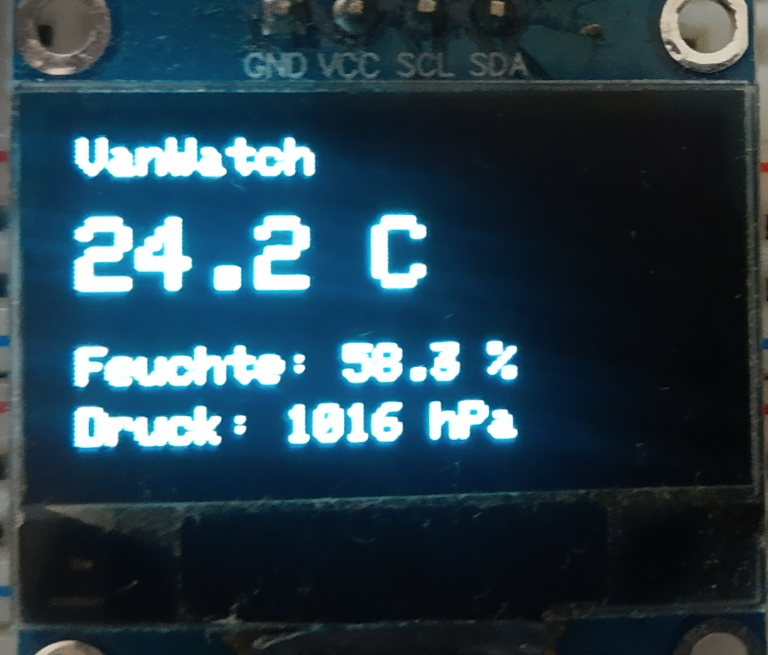
It’s nice to see how an idea slowly turns into a project and continues to grow.
VanWatch #1 Why Build It?
July 17, 2026
After my visit to DoKomi, where I spent a few days sleeping in my camper van, I decided to continue upgrading it.
Along with adding a new sink and a simple electrical system, I came up with the idea of displaying the interior temperature and humidity inside the van.
On the one hand, I was curious to see just how hot the van could get during the summer. On the other hand,
I wanted to be able to react before the conditions became critical.
Luckily, I already had some of the required hardware sitting in a drawer. It had originally been bought for another project that I never actually got around to building.
Although I already have plenty of ideas for future features, I want the first version to stay as simple as possible:
measure temperature and humidity, display the readings on a small screen, and make it easy to expand later.
Of course, I could have bought an off-the-shelf temperature monitor. But the whole point of this project is to build something myself while learning more about embedded programming and electronics along the way.
Hardware I'll be using:
- Sensor: BME280
- Microcontroller: ESP8266 D1 Mini
- Display: 0.96" OLED
In the next part, I'll start with the first sensor.
Dokomi 2026
June 08, 2026
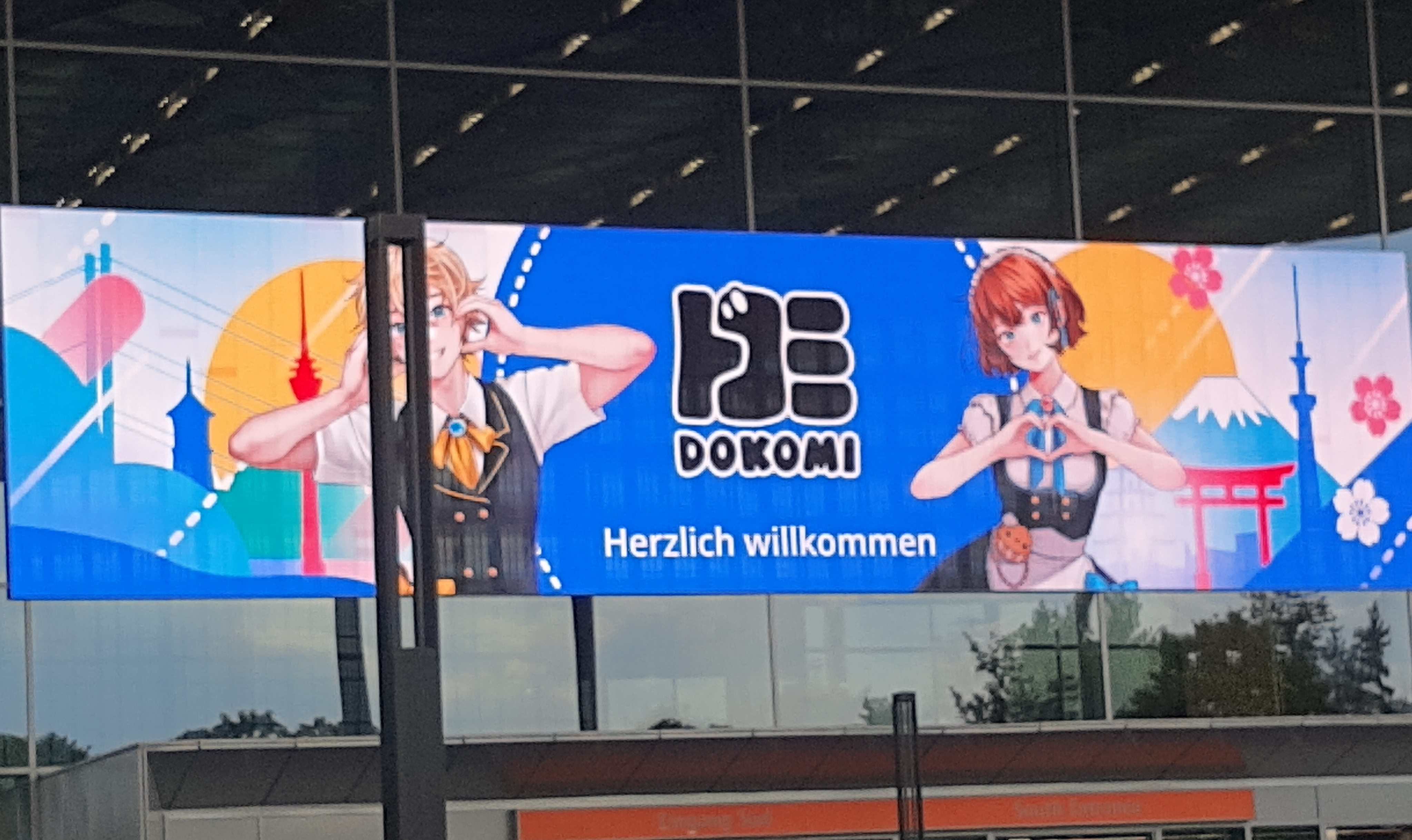
I was at Dokomi 2026. Spontaneously. Very spontaneously. Somehow I was able to buy a resale ticket.
It was already Wednesday, so I had to use the remaining days before the weekend to buy a few things for Dokomi. I wanted to sleep in my camper, so I didn’t have to worry about finding a hotel.
Friday evening, it was finally time to hit the road. After almost 500 km, I finally arrived at around 3:30 in the morning.
I went straight to bed. In the morning, a lovely alarm clock woke me up. It was an airplane.
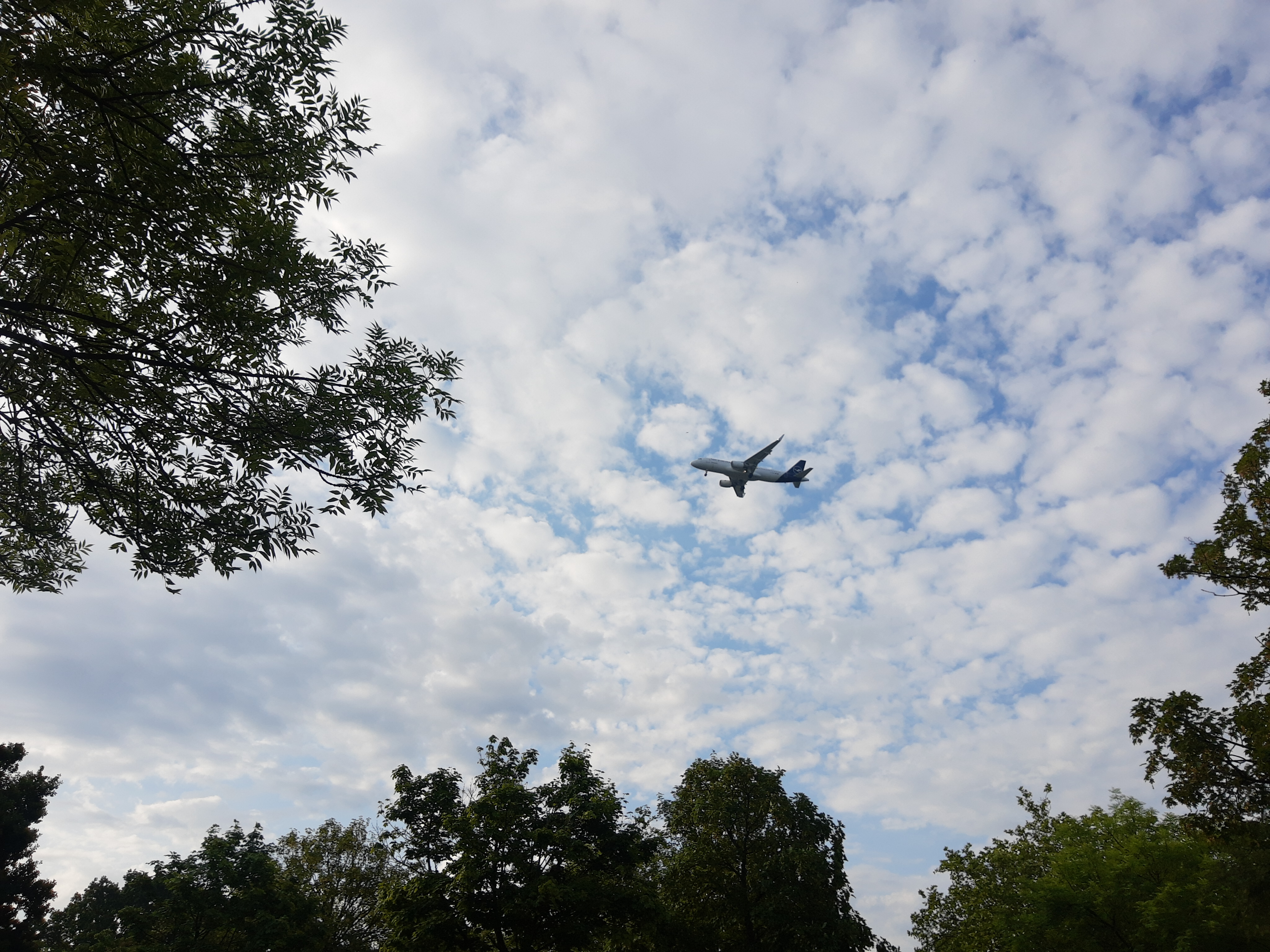
The airport had started its operations for the day. I tried to keep sleeping as long as I could. The planes flew by at regular intervals.
I set up my tripod and microphones, and as soon as I heard one approaching, I started recording. Over time, more cars began to appear in the parking lots. Visitors to Dokomi slowly started arriving.
I took my time getting ready, packed my gear, and headed to the shuttle bus.
Once I arrived at the convention area, I headed straight over to check out the booths of some of the creators I follow on Twitch.
Outside, I watched as two lines formed to pick up a wristband. I asked someone what that was all about.
“That's for the +18 ‘Sejin’ Hall.” Oh, interesting. Just as I was about to get in line, the line broke up because of a rain shower, so I went to the hall where you could pick up the wristbands.
— Unplanned side quest completed! —
Then I headed off to my actual destination. When I found the booths, I looked around and bought postcards, stickers, keychains, and posters.
On a whim, I also asked for a sketch in my notebook. And I actually got one, and I was really happy, because they were really busy and I guess I wasn't the only one with the sketch idea.
— Main quest completed! —
I wandered from one hall to another and was constantly blown away by the cosplayers. After a while, I thought to myself, “Okay, now I'm going to start recording the ambience.” I got everything ready and then looked for a good place to capture the atmosphere.
When I arrived at my camper, I took a moment to rest — it felt so good to be sitting down again.
I relaxed and took in the “movement” of my surroundings: cars driving away, shuttle buses arriving, people walking to their cars, and, of course, the airplanes.
I set up my equipment and began recording the surroundings. After a while, I walked closer to the road.
The night was crazy. I fell asleep pretty quickly, but then I was woken up by the sound of screeching tires.
“Is someone practicing drifting around here?” Next came a storm… rain and thunder. The sounds were awesome, but I was too tired to set everything up again.
And just like that, the first plane was back again. I tried to sleep as long as I could. At the Dokomi area, I recorded the ambience and strolled through the halls one last time.
Around noon, I went back to my camper, packed up my things, and headed home. It was an exhausting weekend, full of interesting and new impressions and lots of great cosplays.
I’m currently listening to the recordings so I can upload them later to YouTube and Freesound.org.
Rain, Thunder & Seagulls | Field Recording from My Balcony
June 08, 2026
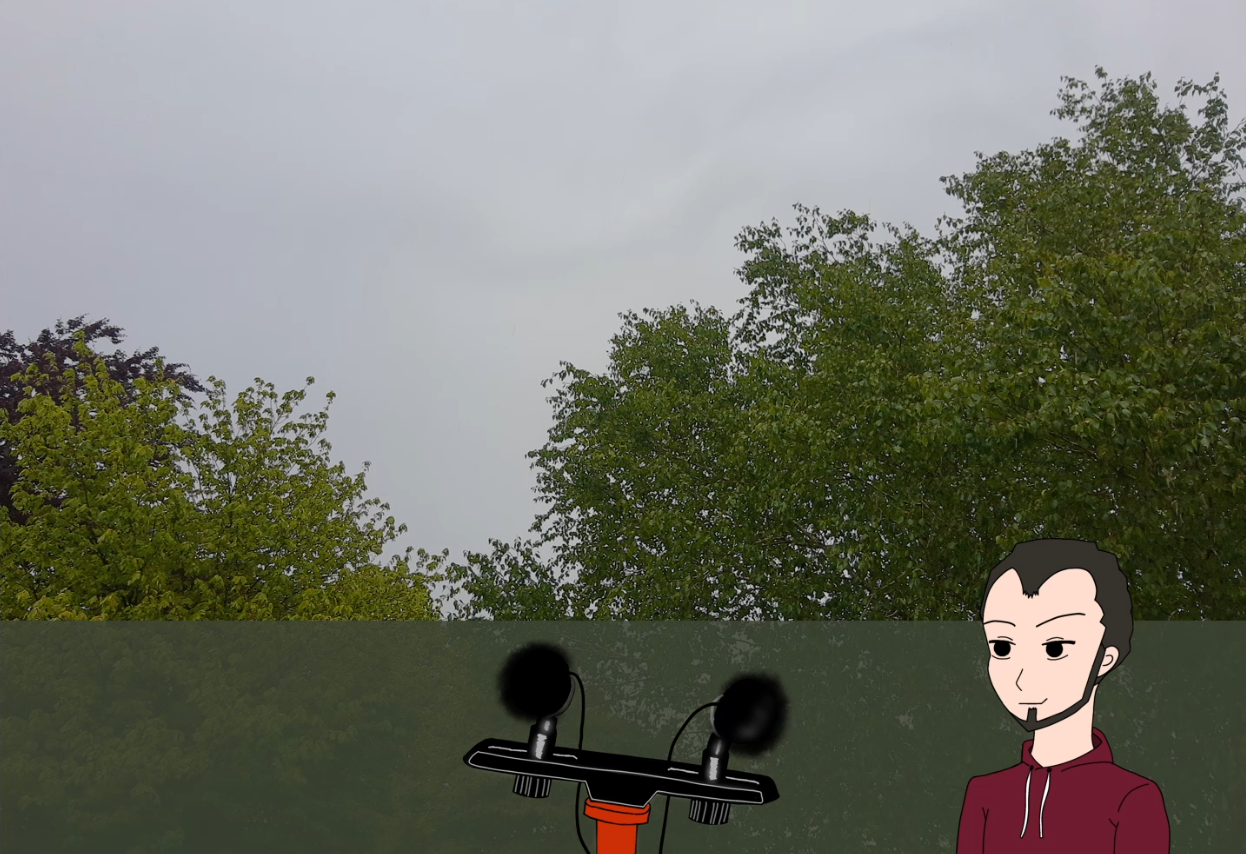
A while ago I ordered new microphones and matching deadcats.
When some bad weather was approaching, I decided to test the Clippys outside. Rain, thunder and heavy wind turned out to be perfect for a recording.
The recording later became a small YouTube upload.
Watch it here:
Rain, Thunder & Seagulls
My First Animation is Online
April 20, 2026
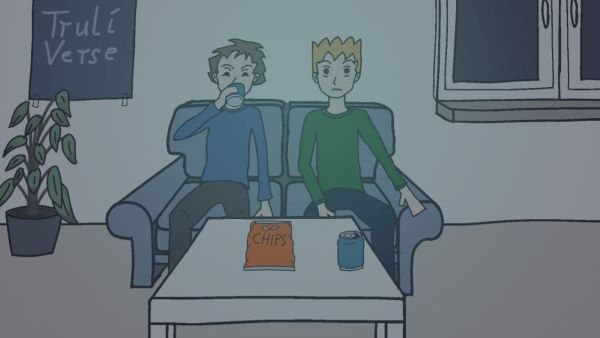
I just finished and uploaded my first animated video.
It started as a small idea and turned into a full project with animation, sound and a lot of trial and error.
It’s about a simple movie night that slowly escalates.
This is just the beginning — more to come.
Watch it here:
Movie Night with That One Friend
First app created — BP-log
February 19, 2026
I recently had to deal with high blood pressure again, including some unpleasant symptoms.
I was prescribed medication to help lower it. Since I already had a blood pressure monitor
at home, I started measuring regularly and writing the values down — the classic way, on a sheet of paper.
Out of curiosity, I looked in the Google Play Store for apps to log my measurements digitally.
I quickly realized that most blood pressure logging apps didn’t match what I was looking for:
- registration required
- ads
- too cluttered or overloaded with settings
So I thought — alright, I'll just build an app myself that fits my needs.
I built this primarily for my own use.
The goal was a simple and clear app without registration and without ads. All data stays on the device.
The app intentionally has only two main areas:
1. Data entry — current or past measurements can be saved
2. History — a graph at the top and a list of logged values below
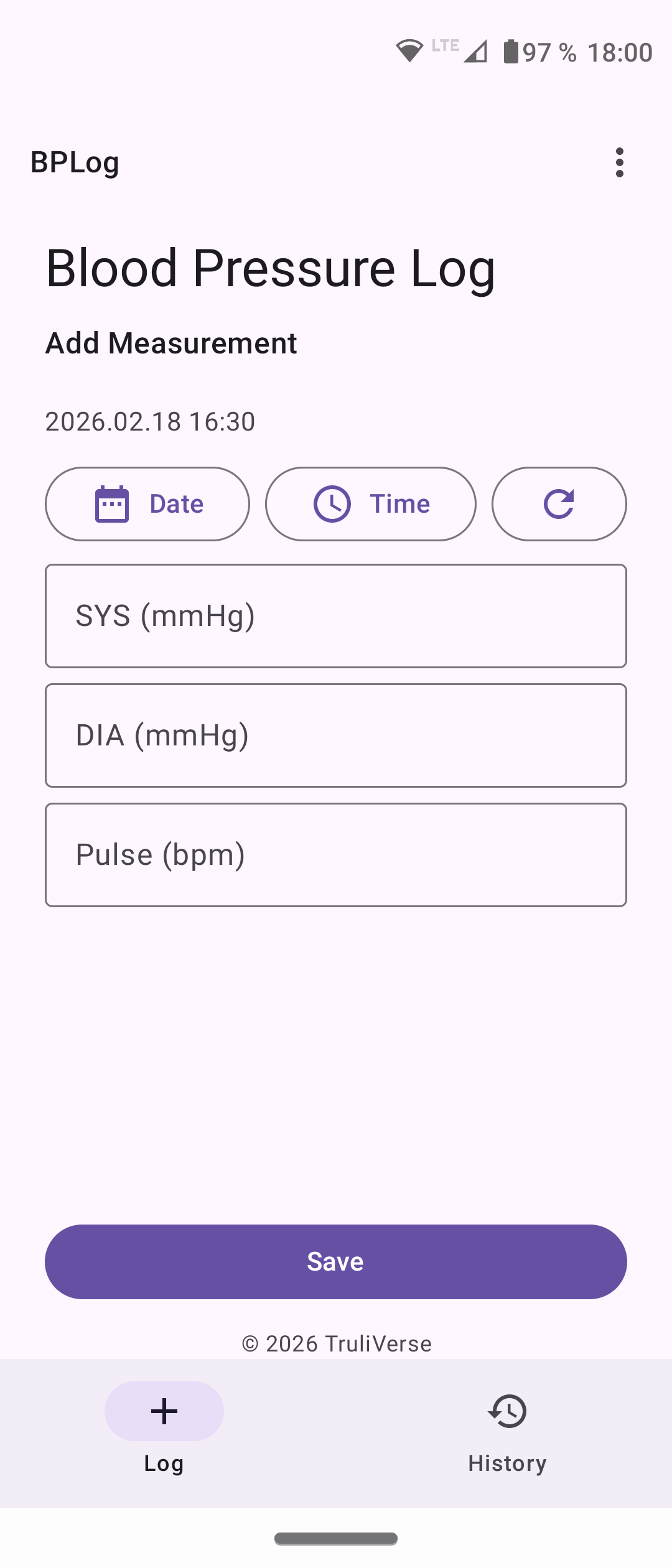
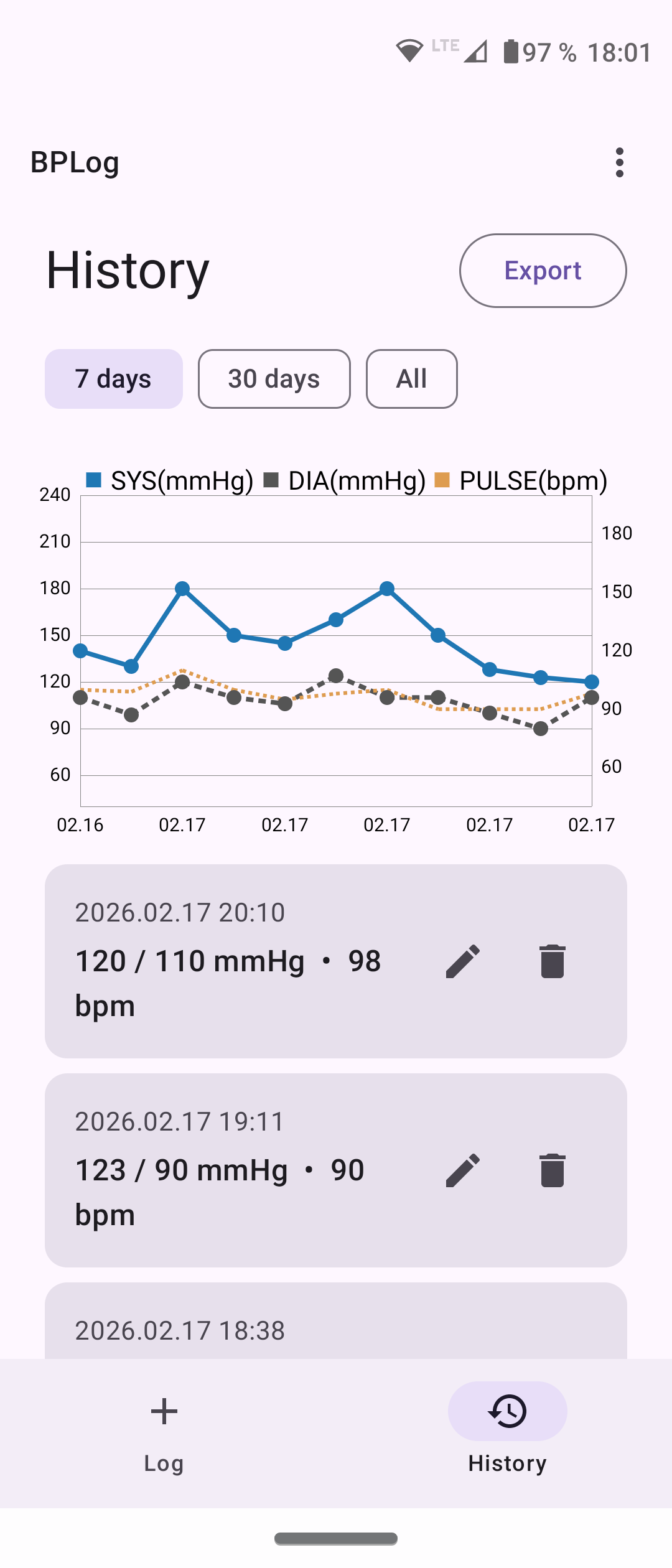
The values can also be exported as CSV or PDF.
It was an exciting project and my first real app.
If you’d like, you can download the APK here:
GitHub
And if you find it useful, I’d really appreciate any support.
Reports, tests or experiences are very welcome and help me improve the app and discover possible issues.
First Sound Pack Released
January 25, 2026

Over the last few weeks I recorded, cut, and reviewed a collection of sounds.
What started as simple recordings gradually turned into a small, focused martial arts impact sound pack.
The pack contains punches, kicks, and short combo recordings.
All sounds are kept raw and dry, intended for sound designers who prefer to shape and layer sounds themselves.
This is my first sound pack release, and it felt important to actually finish something instead of letting it stay on a hard drive.
The pack is available here:
- itch.io
- Gumroad
Both pages include an audio preview.
I plan to continue building small, focused sound packs and documenting the process along the way. I’m already working on the next one.
Field recording without field recording…
December 28, 2025
On December 20th, I was standing by the roadside in Kiel, waiting for the
XMas Ride 2025.
I was already running late and started to panic a little that I might have missed it.
When I arrived at the street where the motorcycles would pass by,
there were still people around — mostly families with their kids.
I quickly crossed the street, found a spot, and started setting everything up:
tripod, microphone mount, microphones, the F3, and the action cam.
I heard people saying, “They’re coming.”
I got excited, turned on the action cam, waved to the riders.
Everything sounded great through the headphones.
The motorcycles, the sound of their engines.
It was worth coming here.
This is going to be a great recording, I thought —
and then it was over.
About six minutes.
I stopped the recording on the action cam.
When I reached for the F3 to stop the recording there as well,
I realized that I hadn’t recorded anything at all.
I packed everything up, frustrated.
Then I heard a child say, “There are more coming.”
Great… I thought.
I didn’t set everything up again.
And for the rest of the day, my mood wasn’t great.
New toys, but this damn everyday life
December 16, 2025
Last week, the Zoom F3, two Rode NT5s, and the DJI Osmo Action 4 arrived.
First impression: Nice!
Whenever I get new gear, I feel like a curious child.
I want to go outside right away, record, try it out — and then I realize:
no tripod, no mount for the action cam, nothing for the F3.
So I had to order a few more things — again.
When everything finally arrived, I eagerly put it all together.
Everything fits! Nice!
And then suddenly shopping, household chores, and everyday life get in the way.
There are no recordings yet.
But something has already formed in my head that I want to share.
How I almost got lost in the clutches of a website builder
October 8, 2025
I thought to myself, “Hey, a website builder like this is definitely the fastest way to get my site online.”
Well, I couldn't have been more wrong... After just a few minutes, I realized that it was more of a struggle than a build:
Text sizes are fixed, layouts jump around, and there's no real freedom.
In the end, the solution was clear: back to the basics with HTML and CSS –
it had been a long time since I had worked with them, but I was able to get back into it.
And lo and behold: a part of TruliVerse was created.
Sometimes the truly creative universe needs truly free code.
More posts coming soon...